Viewing a document never sends you the file.
Pages are rendered server-side and delivered over signed URLs that expire after 15 minutes. Documents downloaded in Vault's secured format are watermarked. Every case is isolated in its own storage, in South Africa.
Built for
- Law firms and litigation teams
- Banks and lenders
- Corporate M&A
- Insolvency and business rescue
- Tender processes
How a document is served
Step one
Stored encrypted
Each file is encrypted with its own key, generated at upload. Where the case has a dedicated KMS key, the file's key is itself encrypted with it before it is stored, separately from the file.
Step two
Rendered server-side
Pages are rasterised on the server and the browser receives images. Spreadsheets are served as sanitised cell data with formulas stripped, so the workbook itself is not sent.
Step three
Delivered over expiring links
Each viewing session gets its own short-lived copies of the page images, delivered over signed URLs that expire after 15 minutes.
Three guarantees
- Every case is isolated
- Each case gets its own storage bucket. Access to one case's documents does not extend to another's.
- Downloads carry the recipient
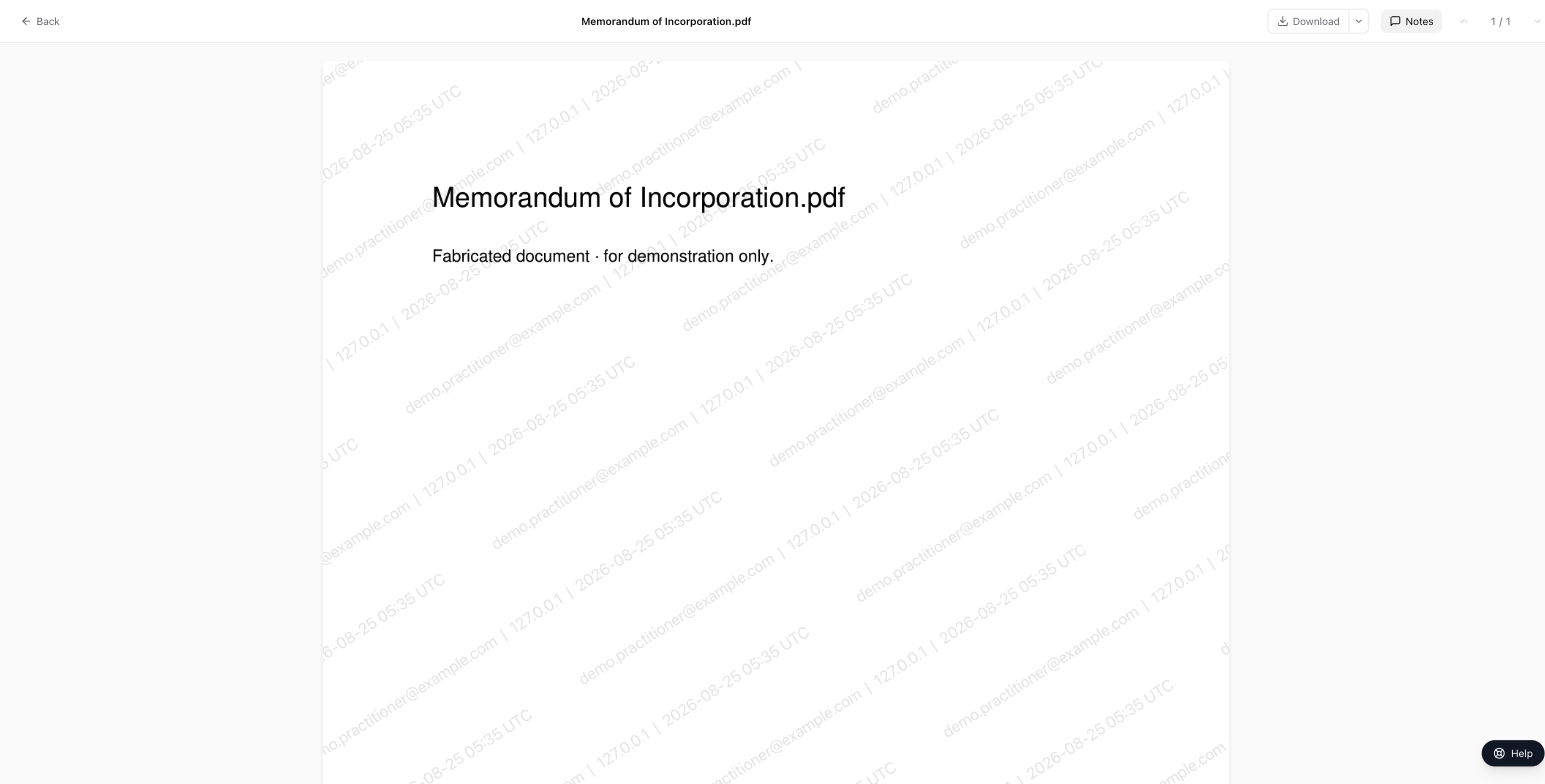
- Documents downloaded in Vault's secured format are watermarked server-side with the recipient's email address, IP address and the time.
- The audit trail is append-only
- Audit entries are append-only and cannot be edited or deleted through the application by any user, including administrators.
Work out who can open which folder
Access is granted on folders, to a person or to a group, and documents inherit their folder's permissions. A rule cascades down the tree unless it is set not to. Where two rules meet, the denial wins — whether it sits on the folder itself or cascades down from a folder above it.
There are three permissions you can grant: view, download and upload. Each is granted separately, so being able to read a document does not mean being able to take a copy of it. The example below resolves view and download for an ordinary member of a room that denies by default — the setting new rooms are created with.
Folders in this room
Financials · Creditors' committee
- View: allowed
- An ALLOW on this folder.
- ALLOW VIEW · this folder · Creditors' committee
- Download: no access
- No rule grants download here. Download always needs a rule of its own.
Every document in this folder resolves the same way.
Financials / Management accounts · Creditors' committee
- View: allowed
- An ALLOW on Financials cascades down.
- ALLOW VIEW · Financials, cascading · Creditors' committee
- Download: allowed
- An ALLOW on this folder.
- ALLOW DOWNLOAD · this folder · Creditors' committee
Every document in this folder resolves the same way.
Financials / Bank statements · Creditors' committee
- View: allowed
- An ALLOW on Financials cascades down.
- ALLOW VIEW · Financials, cascading · Creditors' committee
- Download: no access
- No rule grants download here. Download always needs a rule of its own.
Every document in this folder resolves the same way.
Legal · Creditors' committee
- View: no access
- No rule reaches this folder, and this room denies by default.
- Download: no access
- No rule grants download here. Download always needs a rule of its own.
Every document in this folder resolves the same way.
Legal / Contracts · Creditors' committee
- View: allowed
- An ALLOW on this folder.
- ALLOW VIEW · this folder · Creditors' committee
- Download: no access
- No rule grants download here. Download always needs a rule of its own.
Every document in this folder resolves the same way.
Legal / Litigation · Creditors' committee
- View: no access
- No rule reaches this folder, and this room denies by default.
- Download: no access
- No rule grants download here. Download always needs a rule of its own.
Every document in this folder resolves the same way.
Correspondence · Creditors' committee
- View: allowed
- An ALLOW on this folder.
- ALLOW VIEW · this folder · Creditors' committee
- Download: no access
- No rule grants download here. Download always needs a rule of its own.
Every document in this folder resolves the same way.
Financials · S. Meyer
- View: allowed
- An ALLOW on this folder.
- ALLOW VIEW · this folder · Creditors' committee
- Download: no access
- No rule grants download here. Download always needs a rule of its own.
Every document in this folder resolves the same way.
Financials / Management accounts · S. Meyer
- View: allowed
- An ALLOW on Financials cascades down.
- ALLOW VIEW · Financials, cascading · Creditors' committee
- Download: allowed
- An ALLOW on this folder.
- ALLOW DOWNLOAD · this folder · Creditors' committee
Every document in this folder resolves the same way.
Financials / Bank statements · S. Meyer
- View: no access
- The DENY on this folder beats the ALLOW cascading from Financials.
- ALLOW VIEW · Financials, cascading · Creditors' committee
- DENY VIEW · this folder · S. Meyer
- Download: no access
- No rule grants download here. Download always needs a rule of its own.
Every document in this folder resolves the same way.
Legal · S. Meyer
- View: no access
- A DENY on this folder.
- DENY VIEW · this folder · S. Meyer
- Download: no access
- No rule grants download here. Download always needs a rule of its own.
Every document in this folder resolves the same way.
Legal / Contracts · S. Meyer
- View: no access
- The DENY on Legal cascades down and beats the ALLOW on this folder.
- ALLOW VIEW · this folder · Creditors' committee
- DENY VIEW · Legal, cascading · S. Meyer
- Download: no access
- No rule grants download here. Download always needs a rule of its own.
Every document in this folder resolves the same way.
Legal / Litigation · S. Meyer
- View: no access
- The DENY on Legal cascades down and beats the ALLOW on this folder.
- DENY VIEW · Legal, cascading · S. Meyer
- ALLOW VIEW · this folder · S. Meyer
- Download: no access
- No rule grants download here. Download always needs a rule of its own.
Every document in this folder resolves the same way.
Correspondence · S. Meyer
- View: no access
- An ALLOW and a DENY both land on this folder. The DENY wins.
- ALLOW VIEW · this folder · Creditors' committee
- DENY VIEW · this folder · S. Meyer
- Download: no access
- No rule grants download here. Download always needs a rule of its own.
Every document in this folder resolves the same way.
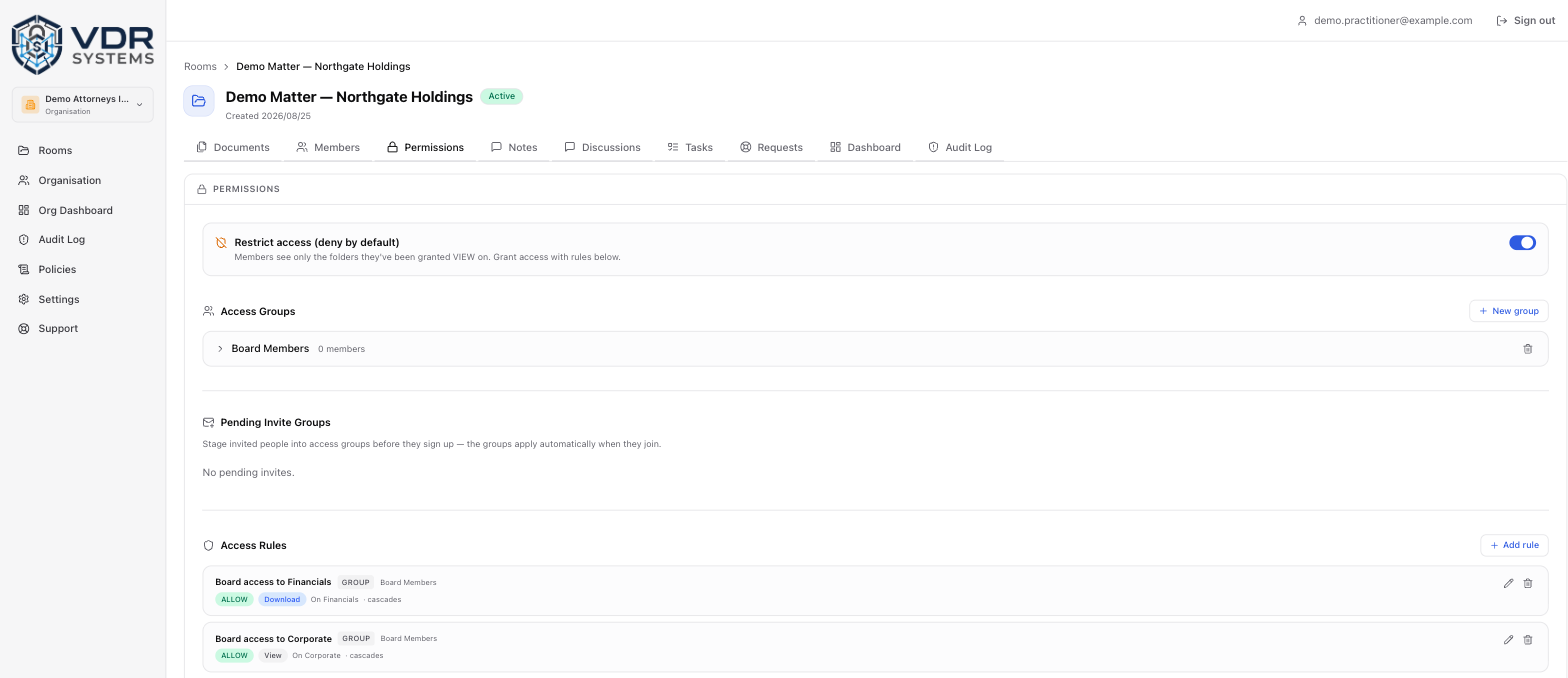
There are no anonymous downloads
Documents downloaded in Vault's secured format carry the recipient's email address, IP address and the time, burned into the file server-side before it is sent.
Releasing a document in its original format is a separate setting, held per document. Where the format supports a watermark the original carries one too. Where it does not — some templates and older spreadsheet formats — or where watermarking that particular file fails, the file is released as it was uploaded rather than blocked.
Room owners and case admins can take the untouched original, without a watermark. That is a separate, restricted endpoint, and it writes its own audit entry naming who took the file, when, and from which IP address.
What is in the product today
Everything on this list is in the product now. There is nothing here you would have to wait for.
Document viewer
Pages rendered on the server and shown as images.
Spreadsheet viewer
Sheet by sheet, cell values only, formulas stripped.
Bulk upload
Many files at once, or a whole folder tree.
Versioning
Re-upload a document and earlier versions stay listed.
Groups and invites
Invite by email, singly or in bulk, straight into a group.
Per-document download policy
Secured PDF only, or the original format released as well.
Discussions and tasks
Questions against a document, and work items in the room.
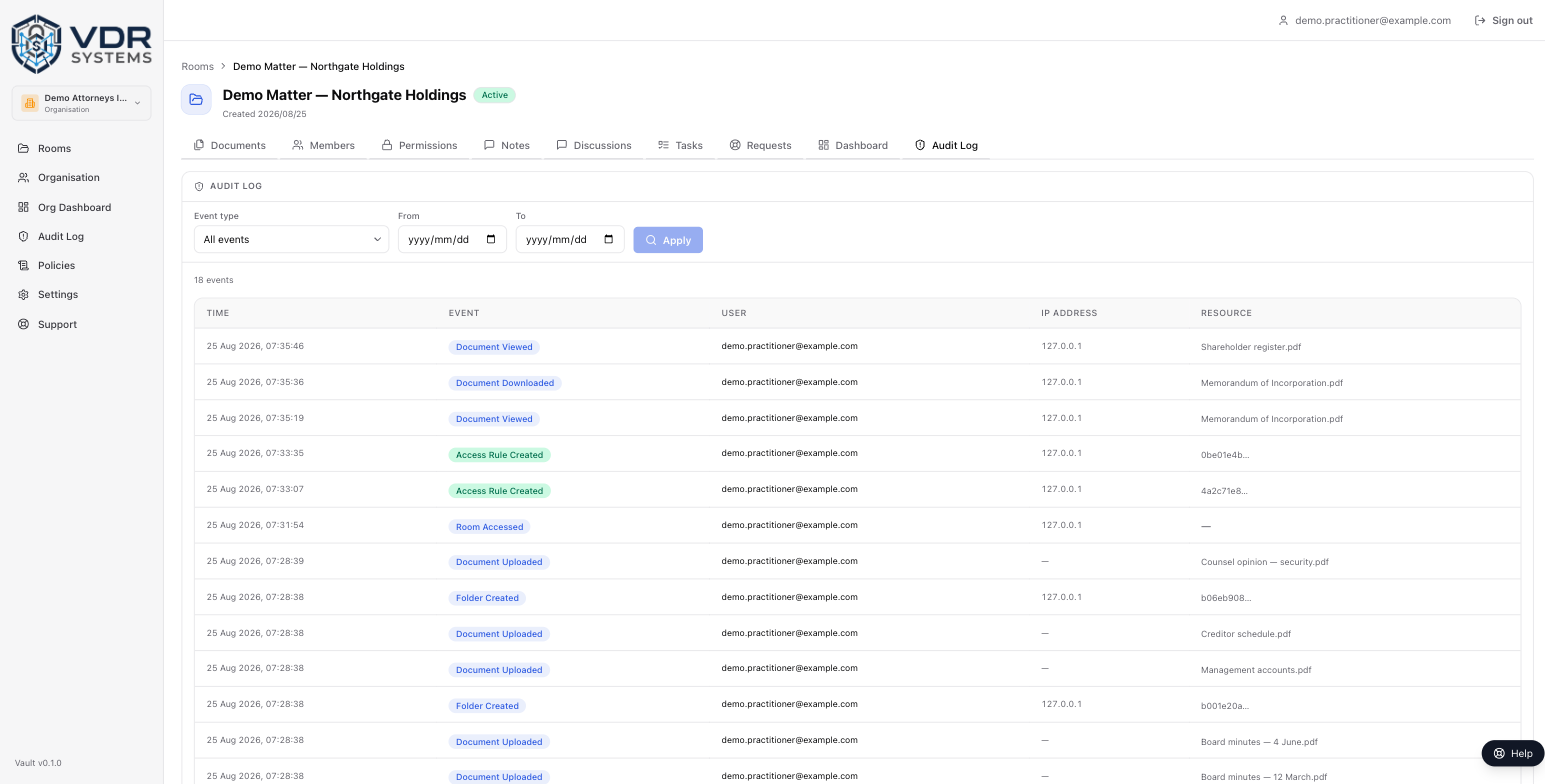
Full audit log
Filter by action type and date range. Entries record who acted and from which IP address; deleting a user account clears the actor from theirs.
Multi-factor authentication on documents
A password alone does not reach a case or a file.
30-minute access tokens
Access tokens expire after 30 minutes and must be refreshed.
Where Vault is used
The same problem in different settings: a set of documents that has to reach named people and no one else, with a record of what each of them did.
Litigation discovery
Controlled distribution of a discovery bundle, with a record of who opened what.
M&A due diligence
A data room where the seller controls what each bidder sees.
Creditor claims distribution
The same pack to many creditors, and each secured download names the person who took it.
Lender due diligence
A borrower's financials read by a credit committee in the browser, without the file itself being sent.
Tender submissions
Each bidder in its own group, seeing only its own folders, with a full record of access afterwards.
Your documents stay in South Africa
Documents, page images, the database and audit records are stored and processed in AWS af-south-1, in Cape Town.
POPIA Section 72 restricts transferring personal information out of South Africa. Vault does not replicate or process that data in another region.
Run your next matter in a room you control
Open a room, invite the people who need it, and see what happened in it.